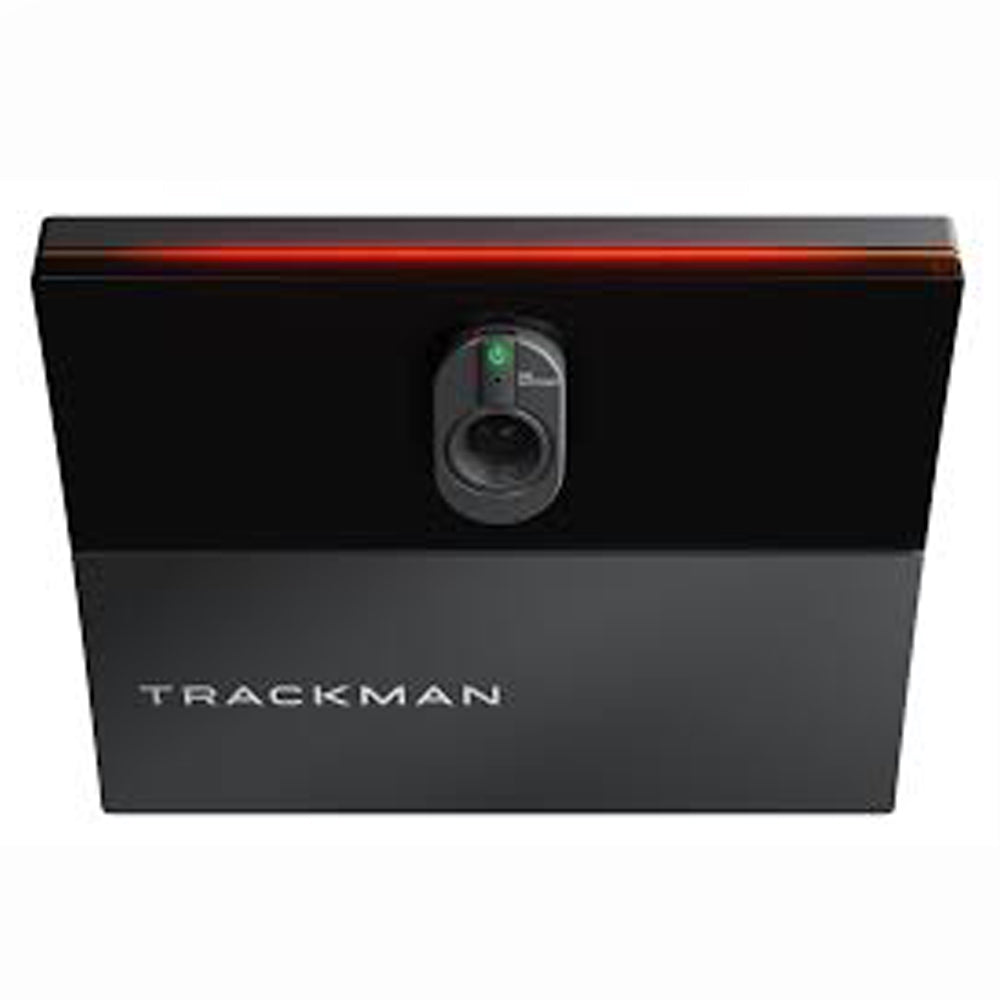
Trackman iO Commercial Platinum 15' Epson L695 Package

Regular price $37,637.49
Regular price $37,637.49 Sale price $37,637.49
Shipping calculated at checkout.
This Trackman IO Commercial Platinum 15' golf simulator package includes a Trackman IO with facility management software, Ace Platinum enclosure (15' W x 15' D x 10' H), Epson L695 projector and ceiling mount, Kinedek 5' x 10' hitting mat, Level 4 gaming computer, Tour Putt Ultimate 15' x 15' turf, 24" touch screen monitor, premium computer cabinet, and all the necessary cords.Full Description
View full details

Description


Trackman IO Commercial Platinum 15' simulator package with Epson L695 Projector

The Trackman iO Commercial golf simulator package is the perfect do-it-yourself, everything-included kit for indoor golf centers, golf academies, country clubs, golf retailers, club fitters, restaurants, and bars.

The iO combines a high-tech radar and camera to capture 40+ data points per shot that will help your customers improve their game. Best of all, it includes Trackman’s facility management software to manage user bay time, analyze bay utilization, organize tournaments, manage customers, and it comes with Trackman 24/7 support to eliminate downtime.

Trackman iO was designed for the indoor golf game and provides the most realistic simulation experience in golf.

This package includes the Trackman iO Commercial and Ace’s fully enclosed platinum hitting bay that is 15' Wide x 15' Deep x 10' High. The enclosure creates a finished, dedicated golf space with side and ceiling protection, plus an impact screen that extends all the way to the floor for a more immersive look and feel. 

Paired with the Epson L695 projector, this package works equally well in a high-end indoor golf facility, teaching studio, golf club, or other commercial setting where performance and a clean installation both matter.

Whether you're building an indoor golf facility, adding a simulator to a golf academy or country club, expanding a club-fitting operation, or creating an entertainment-focused golf space, this package provides a professional-grade simulator all-in-one complete solution.

Package Includes

  • Trackman iO Commercial launch monitor
  • Trackman Commercial facility management software
  • Fully enclosed 15' Wide x 15' Deep x 10' High Platinum hitting bay
  • Epson L695 projector
  • Kinedek 5' D x 10' W hitting mat with tray
  • Tour Putt 15' W x 15' D premium putting turf
  • Level 4 gaming computer
  • 24" touchscreen
  • Computer cabinet with mesh doors for ventilation — 31.5" W x 15.74" D x 40" H
  • Mounting hardware and installation components, including:
    1. HDMI-to-DisplayPort adapter
    2. PC surge protector
    3. Projector surge protector
    4. Projector pipe and elbow
    5. Chief RSMAU projector mount
    6. Projector flange plate
    7. 35' HDMI cable
Trackman iO Duo launch monitor in a custom golf simulator bay

Trackman iO Commercial Helps You Run Your Business

Trackman brings virtual golf, games, practice modes, coaching tools, club fitting, performance tracking and an extensive library of world-class courses together in one ecosystem. That gives your facility something for nearly every customer—from new golfers and families to serious players, instructors, club fitters, leagues and corporate events—while the Trackman name and technology help position your business as a premium golf destination.

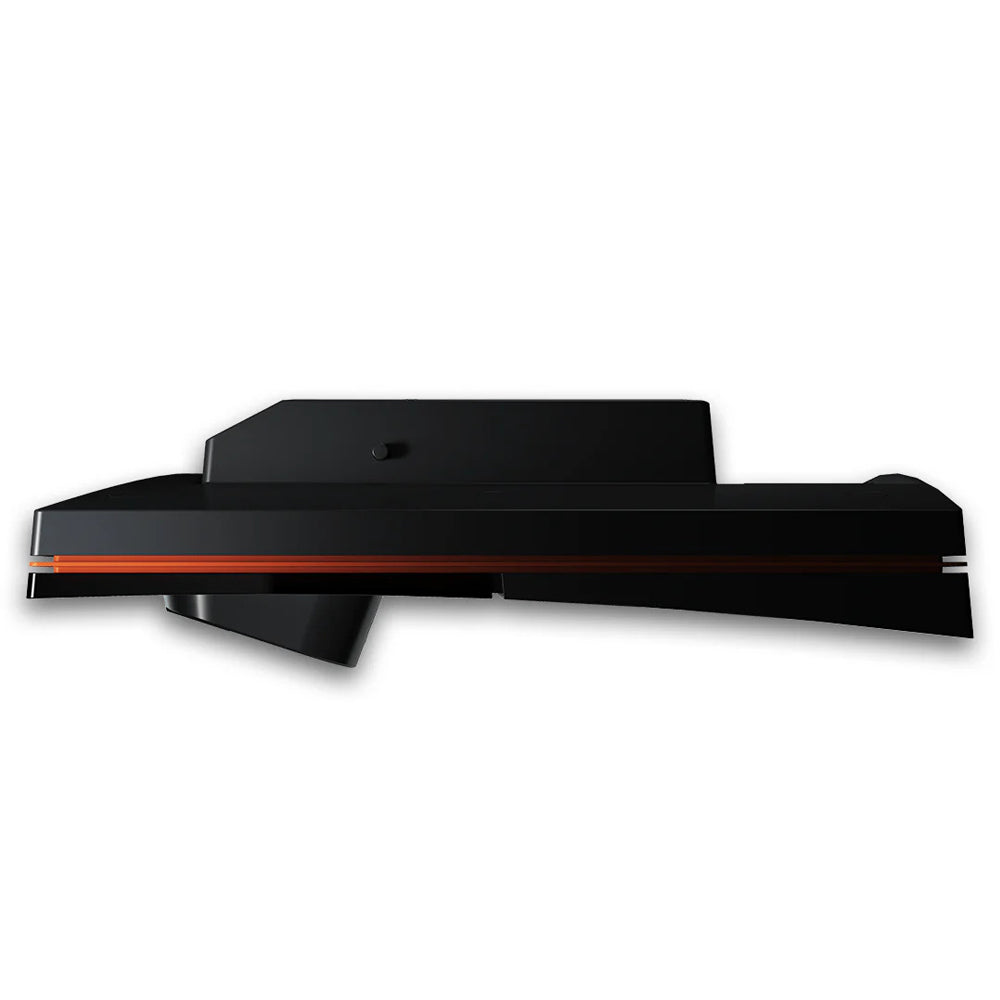
Trackman iO was built specifically for indoor golf. Its compact, ceiling-mounted design keeps the hitting area completely clear, with no launch monitor sitting on the floor or behind the golfer. Trackman’s Optically Enhanced Radar Tracking combines radar, infrared technology and high-speed cameras to capture ball and club performance in real time, including directly measured 3D spin and spin axis. Integrated infrared lighting also means the system does not depend on special room lighting to track shots consistently.

For facilities with traditional full-size simulator bays, Trackman iO delivers the clean installation, premium appearance and proven performance you want in a commercial environment. Golfers simply step into the bay, hit their shot and see the result immediately—while the technology stays overhead and out of the way.


Trackman Dynamic Alignment

TrackMan iO Commercial Features:

A Complete Software Ecosystem: Trackman iO Commercial includes Virtual Golf 3, Performance Studio and integrated facility management software and booking tools that help operators manage both the golf experience and the business behind it. See the dropdown software tab below for details and photos of the facility management software.

Designed for Commercial Bays: Trackman iO can be incorporated into simulator bays as narrow as 15 feet wide, giving operators flexibility when planning their facility.

Optically Enhance Radar Tracking (OERT): Trackman’s patented tracking technology combines dual radar with a Full HD camera to track both the golf ball and club. It captures detailed impact information along with 4D clubhead tracking across a wide variety of shots.

Ceiling-Mounted Dual Tracking: Radar and high-speed camera technology work together to capture precise ball and club data without requiring a floor-mounted launch monitor.

Dynamic Aim Line: The two iO monitors automatically shift and offset the target line on-screen depending on which side and position the golfer is hitting from.

No Shot Delay: Trackman software delivers a fast, immersive experience where ball flight appears immediately after impact. The result feels less like playing a golf video game and much more like stepping onto the course.

No Ball or Club Markers: Requires zero special metallic stickers or marked golf balls—play with any standard ball.
550+ Courses Worth Playing: Virtual Golf 3 makes indoor golf rounds look and feel more realistic which keeps your customers coming back. Play a growing library of more than 550 courses with new courses continually added to the platform.

4K Graphics: Native 4K, not upscaled graphics deliver terrain, lighting and course environments that feel real.
Something for Everyone: Guests can play full rounds, compete in closest-to-the-pin challenges, play in tournaments, fundraisers, practice their games or take part in activities designed for different skill levels and group sizes.

Trackman Club, Ball Data and Driving Range Software Screenshot

Built-In Coaching Tools: Performance Studio gives instructors detailed ball and club data they can use to explain swing changes, measure improvement and deliver premium lessons and club-fitting services.

Club Data: Club Speed, Attack Angle, Club Path, Face Angle, Face to Path, Dynamic Loft, Spin Loft, Swing Plane, Swing Direction, Low Point (Distance from ball to lowest arc point), Impact Height (Vertical strike location on face), Impact Offset (Horizontal heel/toe strike location), Dynamic Lie (Shaft angle relative to ground at impact), and Swing Radius (The radius of the lower swing arc).

Ball Data: Ball Speed, Smash Factor (Efficiency ratio of Ball Speed vs. Club Speed), Smash Index, Launch Angle (Vertical launch degree), Launch Direction (Horizontal launch degree), Total Spin Rate, Spin Axis (Tilt of the ball's rotation causing curvature), Ball Speed Difference, Spin Index, D-Plane Tilt, Carry Distance, Total Distance, Apex Height, Flight Time, Landing Angle, Curve Distance (Total lateral deviation from start line), Side (Distance left or right of the center target line at apex), and Side Total (Final rest distance left or right of the target line).

Putting Data (Optional/Add-on Modality): Launch Direction (Putt), Ball Speed (Putt), Skid Distance (How far the ball slides before true rolling begins), Roll Distance, Total Distance (Putt), Club Speed (Putt), Backswing Time, Forward Swing Time, and Tempo (Ratio of backswing to downswing timing).

Built-in Infrared Lighting: Embedded 810–850 nm infrared lights remove the need for external ceiling lighting adjustments.

Trackman AI Motion Analysis Screenshot

Map My Bag:  See how far you actually carry every club in your bag. Trackman calculates your average carry distances so you have a better idea of which club to pull when you’re on the course.

AI Motion Analysis: Built into Shot Analysis, AI Motion Analysis automatically tracks parts of the golf swing such as shoulder and hip lines, head movement, and wrist path. Instead of manually drawing lines on swing video, golfers and coaches can quickly see key positions and movements.

Altitude: Set the altitude for your practice session to see how the ball performs at different elevations. It’s especially useful when preparing to play somewhere where the elevation is much different from what you’re used to.

Normalization: Normalization takes conditions such as altitude, temperature, and wind out of the equation so you can get a better comparison of your shots. It gives you a clearer picture of how the same shot would perform under consistent conditions.

Optimizer: Optimizer shows what your shot could look like with better launch conditions. It makes it easier to see where you may be leaving distance or performance on the table and what needs to change to improve it.

Trackman AI Tracy Instruction Screen Capture

Speed Training: Work on swing speed without having to hit a golf ball. Trackman measures clubhead speed on each swing, making it easy to track progress during dedicated speed-training sessions.

Tracy AI Instruction: Tracy uses your Trackman data to provide feedback based on the shots you’re actually hitting. It can recommend areas to work on, suggest drills, and help give more direction to a practice session.

Trackman University: Trackman University is an educational resource for golfers, coaches, and golf professionals who want to better understand the technology and the numbers behind it. Topics cover everything from ball-flight laws and Trackman data to more advanced club and performance analysis.

NEXT Golf Tour: Play competitive virtual golf against Trackman players from around the world without leaving the simulator. Events can include prizes and cash payouts, along with select opportunities tied to outdoor professional golf.

Games: Bullseye, Cannon Bowl, Capture the Flag, Closest to the Pin, Magic Pond, Scrapyard, Mystic Sands, Hit It, Party Putt, Streets of Neon, and more.

Ace Indoor Golf 15' Platinum Falcon Golf Simulator Enclosure Inside View

Platinum Enclosure

The Platinum enclosure is Ace Indoor Golf's flagship, commercial-grade hitting bay. It gives you one of the most immersive indoor golf experiences possible. Over the years, we've designed and installed golf simulators for homeowners, teaching professionals, entertainment venues, and some of the largest names in the golf simulator industry. One thing we've learned is that the enclosure plays a major role in how realistic a golf simulator feels.

Unlike open-sided setups, the Ace Platinum creates a fully enclosed hitting environment that helps eliminate distractions, improve image quality and protection, and provide a more immersive experience from the moment you step inside. The oversized 15' wide x 15' deep x 10' high design allows you to comfortably swing every club in the bag while creating a large, theater-like viewing area for simulator play.

The Platinum's heavy, black canvas walls and ceiling help absorb ambient light, allowing the projected image to appear brighter, sharper, and more realistic. Whether you're practicing on the range or playing a bucket-list golf course, our customers tell us the Platinum enclosure helps transform their space into a true golf destination.

Fully Enclosed Space: 15' wide x 15' deep x 10' high design helps eliminate distractions, improve focus during practice and play, and improve safety so you can focus on your game.

Commercial-grade construction: Engineered for long-term durability, screens last over a year in commercial high-use environments.

Floor-to-Ceiling Impact Screen: A unique and realistic floor-to-ceiling viewing experience draws you into an immersive golf experience.

2-Piece Screen System: The setup includes an easy-to-tighten front screen velcroing to the rear mesh screen for easy adjustment and elimination of sagging.

Premium Front Screen: Built from high-quality three-layer material, the front screen includes Velcro sewn into the webbing to connect it to the gap pads and frame pads. Commercial customers say this is the highest quality screen they have ever used.

Aluminum Frame: The lightweight aluminum frame is easy to assemble and comes with connector pieces, allowing complete assembly in 6 hours.

Top and Side Wall Skins: The wall construction boasts heavy, black canvas walls for durability and light control.

Fully Enclosed Space: Spacious interior accommodates right- and left-handed golfers comfortably, and the 15' depth improves ball containment and player safety.

Adjustable Aluminum Cross Bar:  This enclosure makes installing your overhead launch monitor easy. Designed to accommodate ceiling-mounted launch monitors such as the Uneekor EYE XO2, TrackMan iO, Foresight Falcon, and ProTee VX, the bar makes launch monitor attachment easy.

Kinedek Golf Hitting Mat

Kindedek Golf Hitting Mat

Included with this package is a 5' deep x 10' wide Kinedek golf hitting mat. Built to handle the demands of a true commercial environment without sacrificing feel. Its durable, commercial-grade nylon turf is soft underfoot, delivers a realistic strike that mimics real grass, and is easy on a golfer's body. The modular tray system keeps the turf locked in place for consistent performance and no slipping. Designed for both indoor simulators and high-traffic outdoor tee lines, the turf holds real tees, absorbs impact, and provides a stable, professional hitting surface players can rely on swing after swing.

Commercial-Grade Turf: The turf is made from durable, UV-resistant nylon that's built to withstand thousands of golf shots without flattening or wearing out prematurely.

Accepts Real Tees: Insert a real tee directly into the turf, so every driver session feels more like practicing on the course.

Large 5' x 10' Surface: Our customers praise the oversized design that gives both right- and left-handed golfers plenty of room to hit.

Comfortable to Practice On: The shock-absorbing base helps reduce the stress that repeated practice can put on your wrists, elbows, shoulders, and knees.

Stable Footing: The durable tray firmly holds the turf in place for a solid foundation that feels like real turf underfoot.

Sloped Tray Edges: Designed to allow balls to easily roll back up onto the turf, the sloped tray edges make practice easier.

Built for Frequent Use: Whether you hit a bucket of balls every evening or spend hours practicing on the weekend, the Kinedek is made for golfers who play often.

Professional Finished Look: Beyond performance, the Kinedek gives your golf simulator a clean, finished appearance that complements a premium installation.

Epson L695SU Laser Short Throw Projector Front View

Epson PowerLite L695SU Short Throw Projector 

The Epson PowerLite L695SU Short Throw Laser projector is one of our best-selling projectors. It combines 6,200 lumens for a bright Full HD WUXGA picture, commercial-grade reliability, wide lens shift, 360-degree mounting, and installation flexibility with an expansive 0.79 - 1.36 throw ratio that projects an image up to 400" wide. Whether you're playing a casual round with friends or practicing every day, the L695SU provides crisp, sharp graphics and spectacular color that you'd expect from a high-end golf simulator.

    6,200 Lumens of Brightness: The 3-chip, 3LCD technology produces a vibrant image with rich colors in rooms with more light.

    3LCD Laser Technology: Delivers natural colors without the rainbow effect found in some projectors. It eliminates flickering when using the ProTee VX swing cameras.

    WUXGA Resolution: Offering a native 16:10 aspect ratio, the L695SU accepts up to a 4K signal and provides 1920 x 1200 resolution that makes fairways, sky, and trees remarkably realistic.

    4K Signal Compatible: Works seamlessly with today's leading golf simulator software, accepting 4K input.

    Laser Light Source: Provides up to 30,000 hours of virtually maintenance-free performance in Eco Mode, so you can spend more time golfing and less time worrying about replacing lamps.

    Easy Installation: Optical zoom, lens shift, and keystone correction features allow you to align the image edge-to-edge on your impact screen perfectly.

    Commercial Durability: Offering up to 30,000 hours of laser light source for golf simulator use.

    Wi-Fi 6/6E: Get fast, reliable wireless connectivity for screen casting and connection to cloud-based services.

    Professionally Selected: We don't choose projectors based solely on specifications. We choose products we've installed, tested, and trust to deliver the best experience for our customers.

Tour Putt Turf Top and Underside View

Tour Putt Ultimate Green 15' x 15' Turf

Tour Putt Ultimate 15' wide x 15' deep turf brings a true putting green experience into the Trackman iO DUO Commercial Platinum package by delivering the look, speed, and feel of a real bent-grass surface. Built with high-quality nylon fibers and a durable rubber backing, it produces a smooth, consistent ball roll in the mid-10 stimp range—ideal for putting, chipping, and approach shots. Designed for commercial durability and low maintenance, this non-infill turf holds up under heavy traffic while giving players the confidence of practicing and playing on a surface that reacts just like a real course.

Level 3 Desktop Computer

Level 4 Gaming Desktop Computer

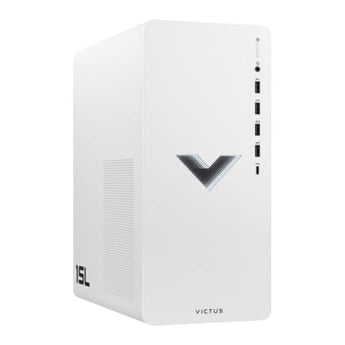
Part of this simulator package is a Level 4 gaming computer built to run your TruGolf system the way it’s meant to be used—fast, smooth, and without headaches. It handles launch monitor software effortlessly, with a powerful processor (Intel Core i7 14700KF), DDR5 5600Mhz 32 GB Ram, a lightning-fast 2 TB SSD, and an NVIDIA GeForce RTX 5070Ti graphics card delivering clean visuals and quick response every time you step in. Whether you're running a busy facility, hosting leagues, or working with players one-on-one, this is the kind of reliable performance you can count on day after day.

24

24" Touch Screen Monitor 

Make interacting with your simulator software easier with the 24" touch screen monitor and wall mount. With a bright, clear display and accurate touch response, players can easily select clubs, courses, target locations, and navigate the software without needing a keyboard or mouse. Built for everyday use in busy environments, it’s a durable, user-friendly control center that keeps everything moving seamlessly—from first swing to final putt.

Courses/Software

Trackman Business Portal Software Features


FACILITY MANAGEMENT SECTION

Facility Overview Tab: Lets you maintain facility information and branding, add staff, and control permissions, including multi-location operations. Permissions include: Facility owner, manager, staff, tournament host, viewer, booking manager, and coach.

Booking/Payments Tab: This feature doesn’t apply to everyone. Booking and payment are available for customers looking to add the service to their facility. You can manage all the bookings and payments through the tab for $25/month/bay or $250/bay per year.

Control Room Tab: Manage and communicate with all the bays in your facility remotely. See which bays are available, occupied, or currently offline, and send messages to a bay notifying them how much time they have left in their session. You can even set how long you want to display your messages. This feature also lets you set a timer for each session and provides three options: 1) Do not end when timer expires. 2) End session when timer is complete. But the bay will not lock. 3) End session and lock bay once timer expires, awaiting next user session. You can also lock and unlock bays remotely without a timer by showing the bay-locked screen with a QR code. The user scans the QR code to log in for their session

Coaches Tab: Ideal for academies and coaches, this section lets you view and manage your players’ data and track sessions, drills, and performance over time.


COMPETITIONS SECTON

Tournaments Tab: Trackman facility management software lets you create and manage different tournaments and competitions in your facility. There are a few different options. Choose between individual or team tournaments. Play single or multiple rounds, or an order of merit for a season-long contest. Individual longest drive, closest-to-the-pin, and other competitions are available. You have the following options in setting up a tournament:

  • Set a title and description for your tournament
  • Set whether it is open to the public or invitation only.
  • Choose a start and end date and time
  • Set which course and holes are a part of the tournament
  • Set an entry fee
  • Set up sponsors and hole sponsors; view how your tournament will appear throughout the software.
  • Publish a tournament and have everyone start playing.

Scorecards Tab: Edit a customer's score through the Scorecards tab, or remove an entry altogether from a tournament.


PLAYERS & COMMUNICATION SECTION

Players Tab: This feature shows all players who have visited your facility and provides key insights into them. It is a great feature for those managing their location off-site, as you can see who has visited, how often, and what they like to play.

Info Screens Tab: Create a leaderboard or different promotions on different monitors outside the bay that are not part of the player experience by adding image, text, or video to those screens.

Sponsor Campaigns: Add sponsors and import a logo by course and hole, and preview how it will look. You can even set a start date, end date, and how long you want the logo to display.


ANALYTICS SECTION 

Overview Tab:Gain key insights into your facility and customers to help grow your business. View the number of strokes, sessions played, players logged in, average players per session, and type of play: courses, games, practice, and tournaments, all by date range.

Bay Insights Tab: Bay occupation and utilization, hours per bay, players per bay, hours per day, etc.

Bay Occupation: View bay usage hours, average bay usage per month, bay occupation percentage, and bay usage by days of the week and times of the week to understand peak vs. off-peak hours to run promotions or charge more.

Courses Played Tab: Analyze which courses have been played and how often, and use that information to sell sponsorship and gain insight into your customers.


Resources/Space Requirements

Trackman iO DUO Commercial Platinum 15' Space Requirements

Recommended Space Requirement: 21'L x 17' W x 11' H 

Frame Size: 15'L x 15'W x 10'H
Less Space? We can make it work. Call us to discuss.

Monitor to Floor: 9' 6" ground to sensor
Screen to Tee Front: Minimum 8' 2" - 10'
Monitor to Tee/ Front: 3' 3"
Ceiling Height: 11'

Room Width: 17'

DUO Specifications

iO Size: 13.1" L x 13.1"W x 4.2"”H

iO Weight: 8.6lbs lbs

Space Between Units:  3' 7"

Hitting Zone: 8" x 10"

Connectivity: CAT 6 Ethernet Cable

Power: AC-Powered. No Battery.
PC Requirements: 

Operating System: Windows 10/11 (64-bit)

Processor: Intel i7 or i9 (3.4 GHz)

Memory: 24GB RAM (2666 MHz DDR4 or better)

Storage: 1TB SSD

Graphics: dedicated Nvidia RTX 4070Ti GPU (or equivalent)

Connectivity: 2x 1GBit/s Ethernet ports